· Blog · 3 min read
MacBook Pro Calibration: Real Measured Results with the i1 Display Pro
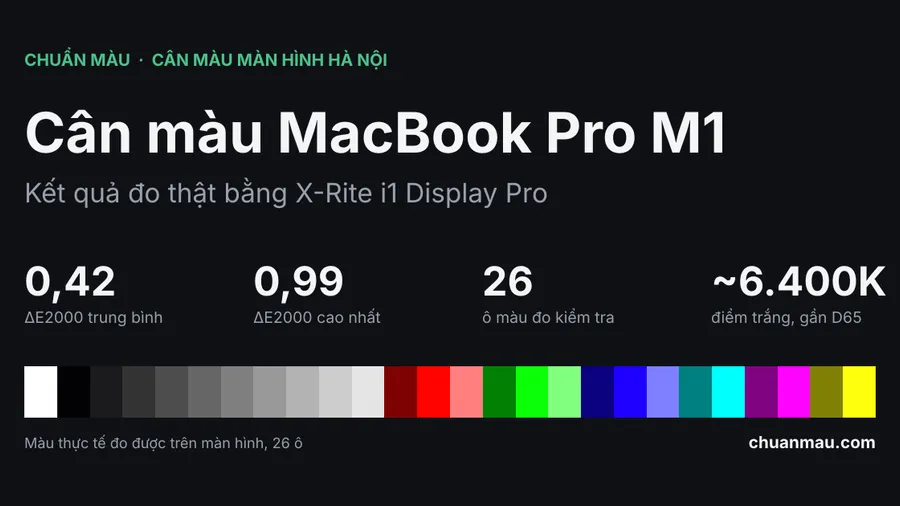
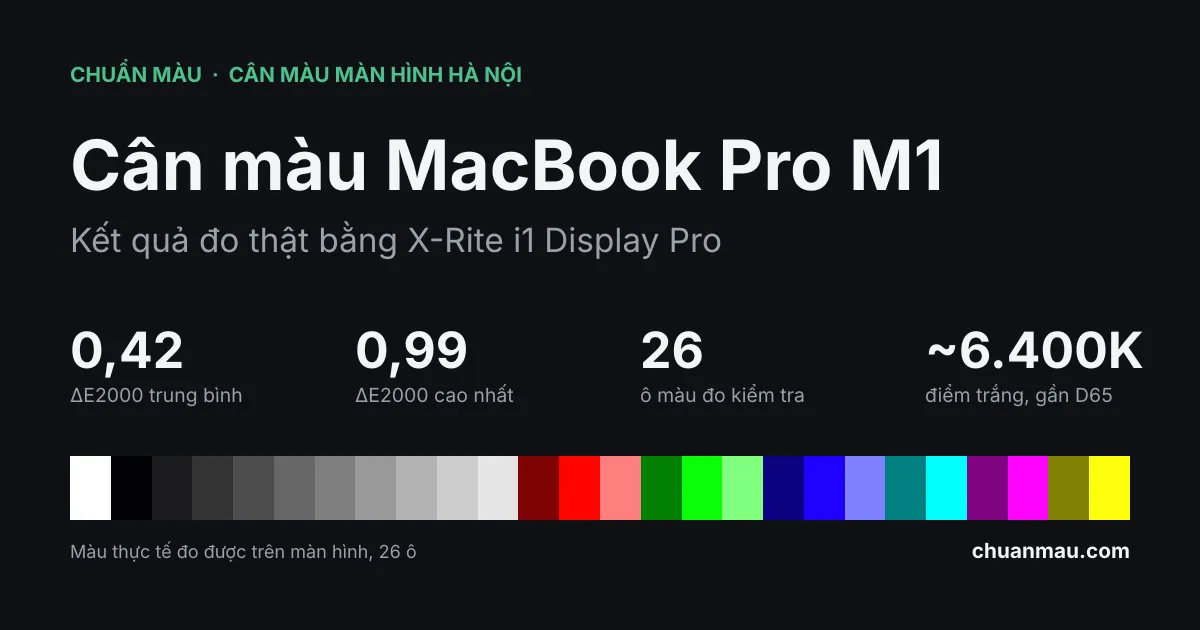
MacBook Pro calibration results measured with an X-Rite i1 Display Pro: average ΔE2000 of 0.42 across 26 patches, white point close to D65. Numbers come from a real report.
After you calibrate a MacBook Pro, how much does the screen change, and how do you know it is right? This post promises nothing. Here is the measurement report from my own M1 MacBook Pro, calibrated on 10 October 2026, so you can read the numbers yourself.
The machine and how it was measured
- Machine: my own M1 MacBook Pro, working resolution 1440x900.
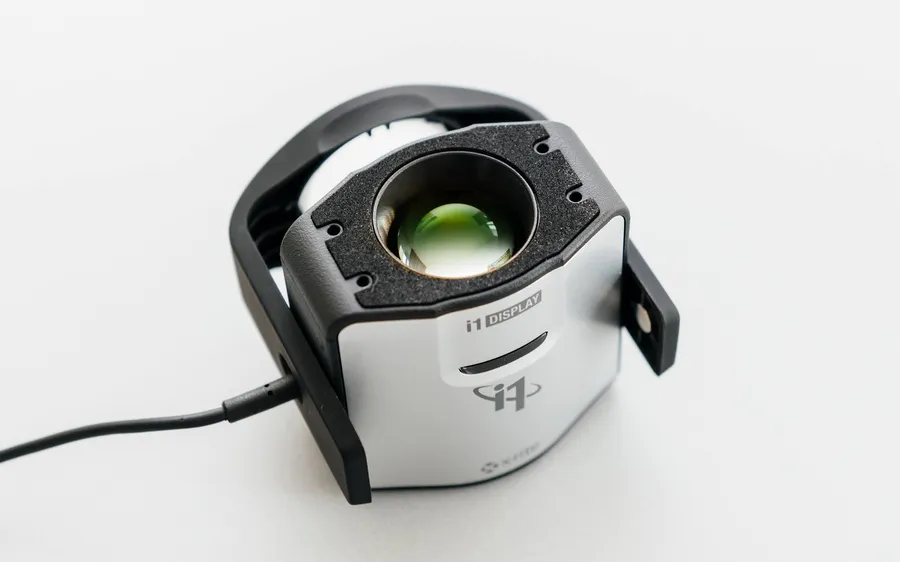
- Meter: X-Rite i1 Display Pro, using the correction for the WLED IPS 99% P3 LCD in the MacBook Pro Retina line.
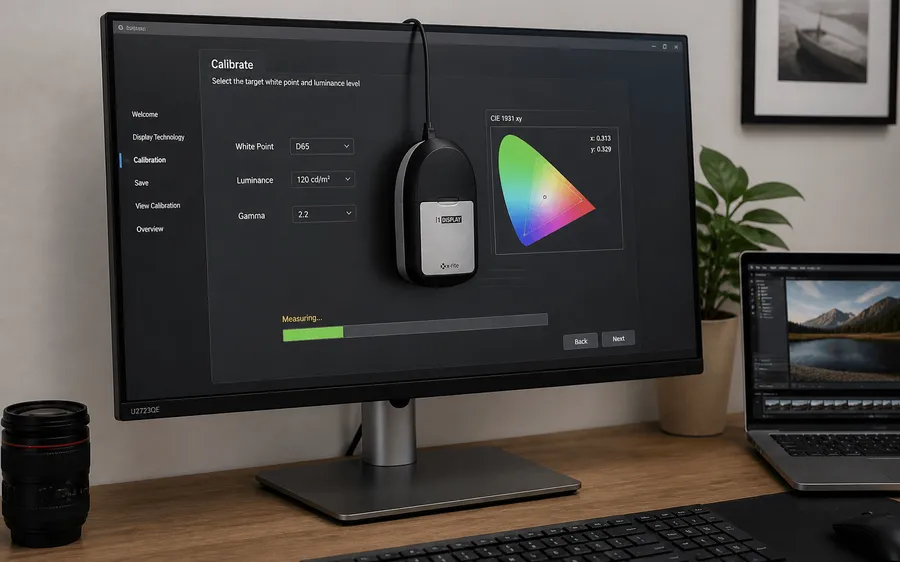
- Calibration target: D6500 white point, gamma 2.2.
- Verification: after calibrating and creating the ICC file, 26 patches were measured again (greys from 0 to 100%, red, green, blue, and a few mixed colours) and compared with sRGB reference values.
Results
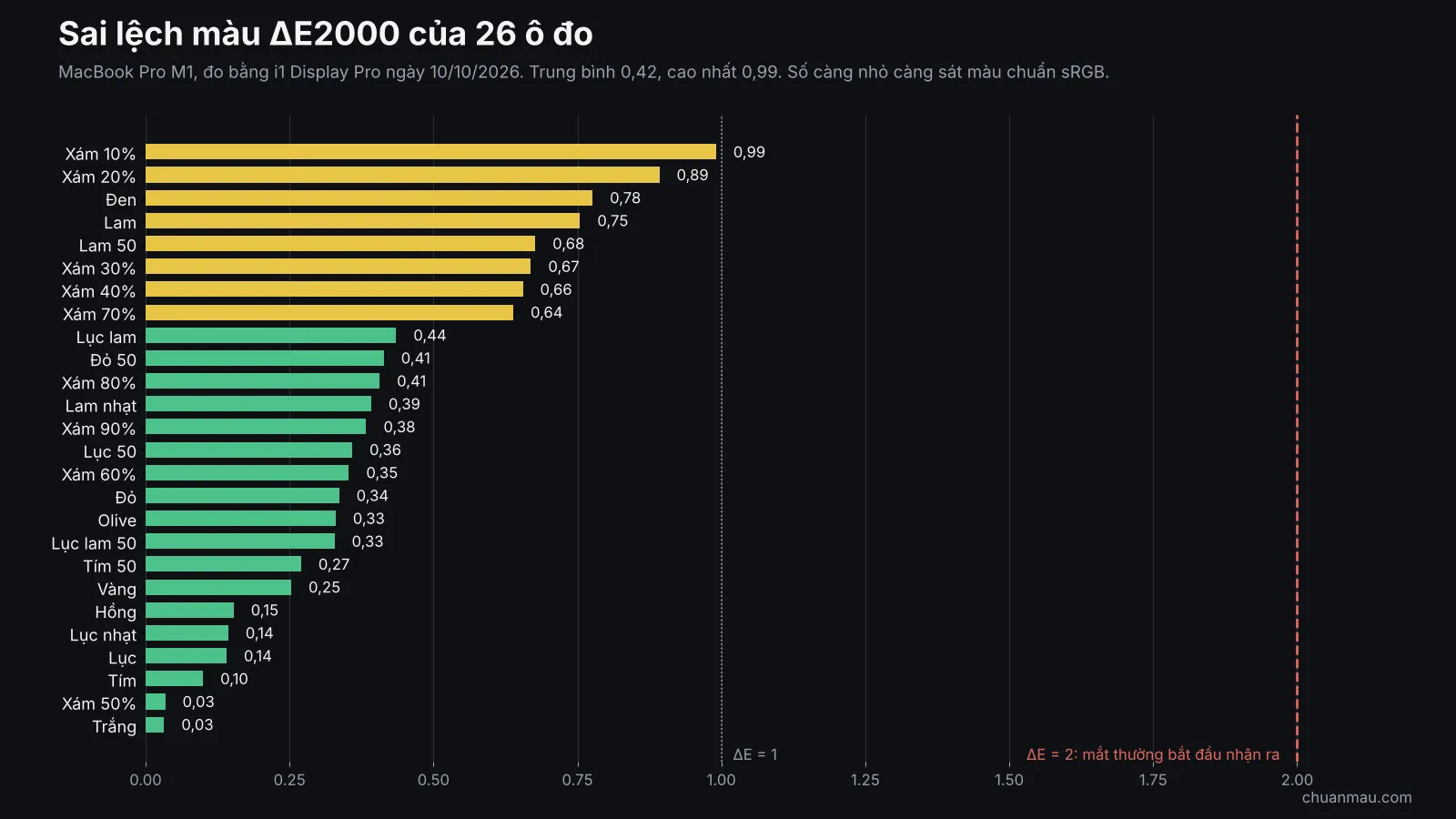
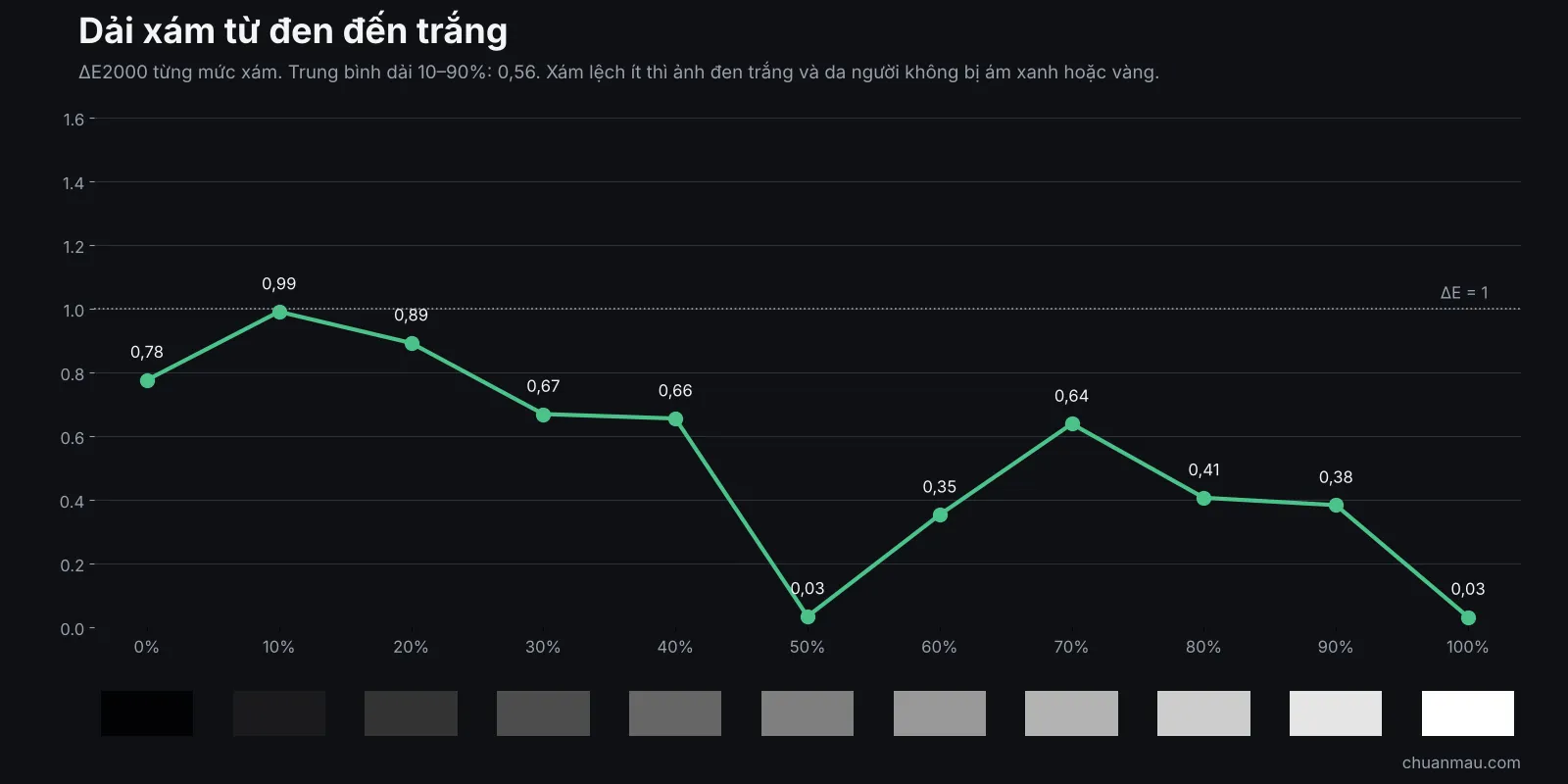
- Average colour error ΔE2000: 0.42. Worst patch: 0.99 (10% grey).
- Grey ramp from 10% to 90%: average 0.56. Low grey error means black-and-white photos and skin tones do not drift blue or yellow.
- Measured white point is about 6,400K, close to D65 (6,500K).
- White luminance 342 cd/m², black 0.244 cd/m², contrast about 1,400:1. These belong to the panel itself; calibration does not improve them.
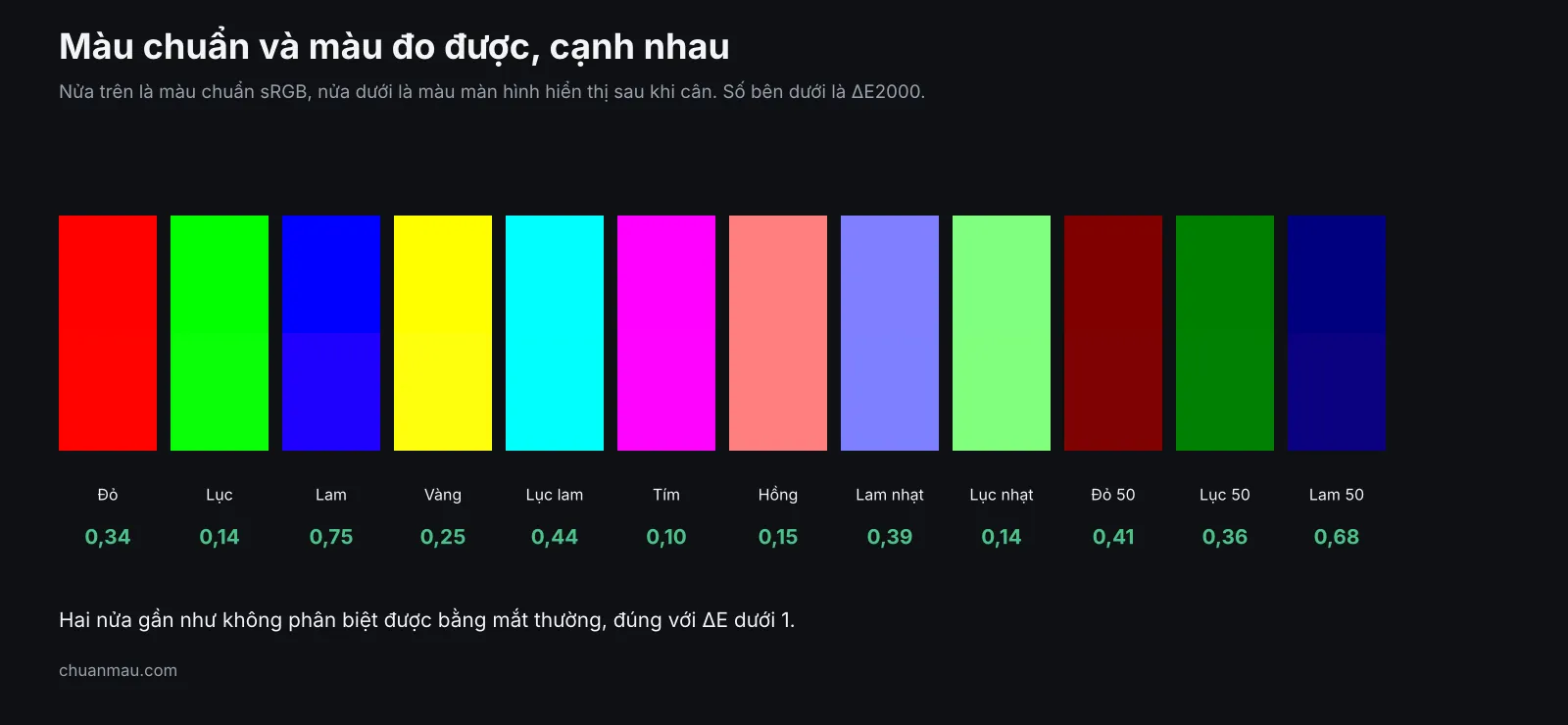
The charts below are labelled in Vietnamese, but the numbers are the same.
What is ΔE, and what is good enough?
ΔE measures the gap between the colour a screen shows and the reference colour. Smaller is closer. For everyday design and photo editing, a ΔE below 2 is already very hard to see. On this machine even the worst patch is below 1.
A few things to be clear about
- These numbers are valid only for this machine, at the brightness and moment of measurement. Change the brightness and the colour changes.
- Calibration corrects colour error. It does not turn a 60% sRGB panel into a 100% one.
- This report has no measurement from before calibration, so I will not claim it is “X times better”. To see the difference, open the same photo before and after applying the profile.
- Recalibrate every 6 months to 1 year, or when your lighting changes or you reinstall the operating system (the calibration is not lost, but you need to reinstall the ICC file).
Not sure what an ICC file is? Read What is an ICC profile.
What Chuẩn Màu does with your screen
A 4-step process: book and get a quote, survey the screen, calibrate with a professional meter, deliver the ICC file with install instructions. About 15 minutes per screen. After calibration you get a 1-month warranty and lifetime technical support.

- See pricing and services.
- Book on Zalo: 0879.02.5858.
- Current prices: at our shop 150,000₫ for the first display, on-site 200,000₫ for the first display, 100,000₫ from the second display.
Frequently asked questions
How long does MacBook Pro calibration take? About 15 minutes per screen, longer if the machine has a serious problem.
Do I need to reinstall anything after calibration? If you reinstall the operating system you need to reinstall the ICC file. Chuẩn Màu includes instructions.
Bring the laptop in, or have you come to me? Both, in Hanoi. See the pricing page for each option.